AI Appointment Scheduling: Set It Up Once, Book Forever
The appointment scheduling problem for service businesses
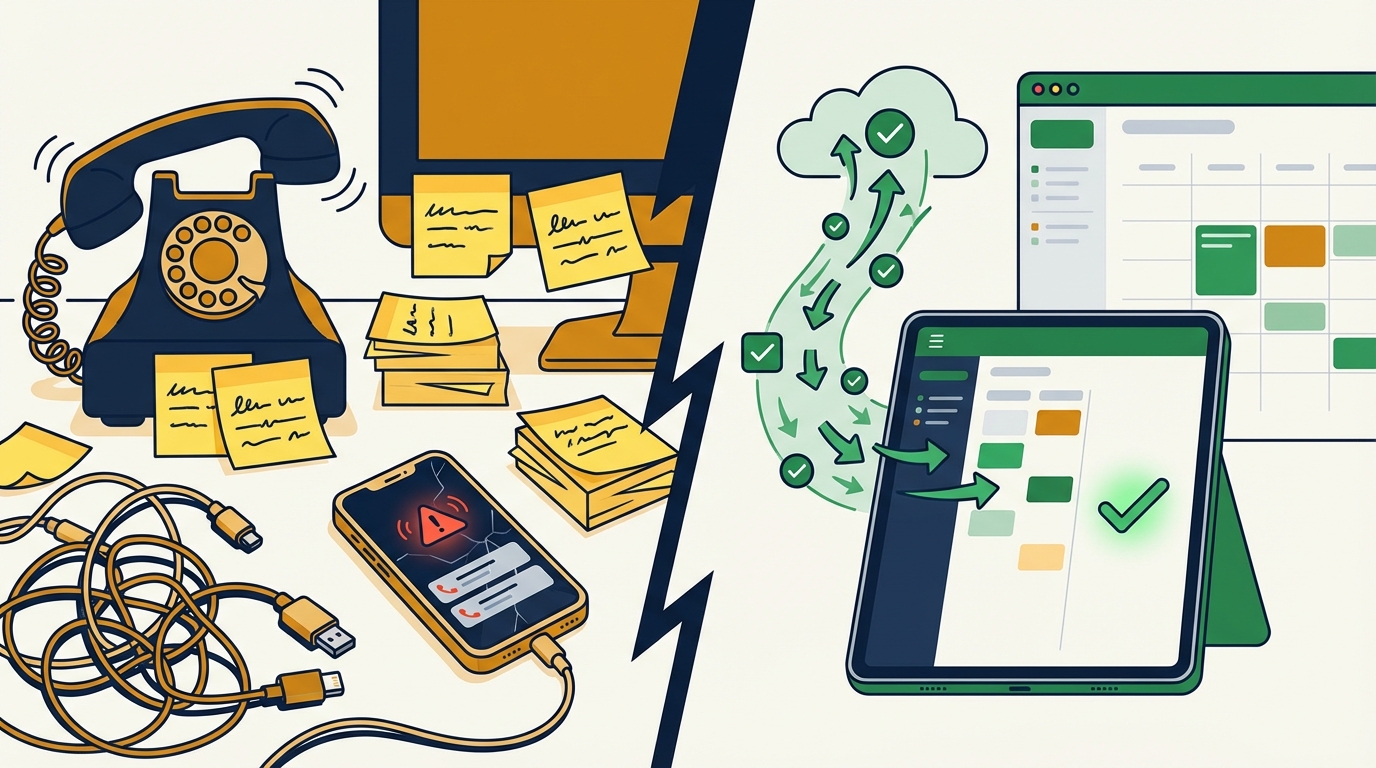
If you run a service business, you already know the drill. A customer calls while you are elbow-deep in a repair job. Your phone rings again during a client meeting. By the time you check voicemail, two of those callers have already booked with a competitor.
Research shows that 62% of calls to small businesses go unanswered, and each missed call costs an average of $200 in lost revenue. For a busy contractor, salon, or medical practice, that adds up fast. Two missed calls a day translates to roughly $100,000 in lost revenue per year.
The problem is not that you are bad at scheduling. The problem is that AI appointment scheduling has not been part of your toolkit yet. Customers expect to book on their terms — evenings, weekends, and lunch breaks — and they will not wait for a callback. The businesses that answer first win the job.
How AI scheduling works — from call to calendar
AI appointment scheduling replaces the back-and-forth of phone tag with a system that handles booking automatically. Here is how it works in practice:
- A customer reaches out — by phone, chat widget, text message, or website form. The AI responds instantly, regardless of the time.
- The AI qualifies the request — it asks what service they need, when they are available, and captures their contact information. For service businesses, it can also collect details like equipment type, address, or symptoms.
- It checks your calendar — the AI syncs with your existing calendar (Google Calendar, Outlook, or a practice management system) and offers open slots that match both the customer’s preferences and your availability.
- The appointment is booked — the customer receives a confirmation with date, time, and any preparation instructions. The appointment appears on your calendar automatically.
- Reminders go out — the system sends automated reminders via text or email at intervals you choose (typically 24 hours and 1 hour before the appointment).
No human intervention is needed for standard bookings. Your phone keeps ringing, and every call gets answered.
What you will need
Before setting up AI scheduling, gather these basics:
- A digital calendar — Google Calendar, Microsoft Outlook, or a practice management system. The AI needs something to sync with.
- Your service list — what you offer, approximate durations, and any booking rules (minimum notice, buffer time between appointments).
- Business hours and availability — including any blackout dates, lunch breaks, or seasonal adjustments.
- An AI intake tool — a platform like Hollr that can handle inbound calls and chats, qualify leads, and push appointments to your calendar.
If you already use a CRM or field service tool like Jobber, Housecall Pro, or ServiceTitan, check whether it supports calendar API connections. Most modern platforms do.
Step-by-step setup guide
Step 1: Define your booking rules
Start by mapping out the rules that govern your schedule. These are the guardrails that keep the AI from double-booking you or scheduling a four-hour job in a 30-minute slot.
- Service types and durations: List each service you offer with its typical time. A routine HVAC inspection might take 60 minutes. A plumbing diagnostic might take 45.
- Buffer time: Add padding between appointments for travel, cleanup, or notes. Fifteen minutes is common for mobile service businesses.
- Advance booking window: Decide how far out customers can book (most service businesses use 2-4 weeks) and the minimum notice required (24-48 hours is standard).
- Availability blocks: Define your working hours for each day of the week. If Wednesdays are office days, block them from field appointments.
Step 2: Connect your calendar
Link your calendar to your AI scheduling tool. This is usually a one-click OAuth connection:
- Google Calendar: Authorize read/write access so the AI can check availability and create events.
- Outlook/Microsoft 365: Same process through Microsoft’s authorization flow.
- Practice management software: Many platforms (Jobber, ServiceTitan, Jane App) offer API integrations or Zapier connections.
The critical point here is two-way sync. The AI needs to read your calendar to avoid conflicts, and it needs to write to it so you see new bookings immediately.
Step 3: Configure your intake flow
This is where the AI learns how to talk to your customers. Set up the conversation flow that captures the right information:
- Greeting: Keep it simple and professional. “Thanks for calling [Business Name]. I can help you schedule an appointment.”
- Service selection: The AI presents your service list and lets the customer choose.
- Information gathering: Name, phone number, address (for mobile services), and any details specific to the job.
- Slot selection: The AI offers 2-3 available time slots based on your calendar and the customer’s preferences.
- Confirmation: A summary of the booking with a confirmation sent via text or email.
If you are using Dispatch AI for a field service business, this intake flow also handles job routing and technician assignment — so a single setup covers scheduling, dispatch, and customer communication.
Step 4: Set up automated reminders
Automated reminders reduce no-shows by up to 60%, according to healthcare scheduling research. Configure reminders at these intervals:
- 48 hours before: A friendly reminder with appointment details and a link to reschedule if needed.
- 2 hours before: A final reminder with the address, contact info, and any preparation instructions.
- Post-appointment: A follow-up message thanking the customer and requesting a review.
Text messages outperform email for reminders. Studies show that 75% of customers are more likely to keep an appointment when they can reschedule online, so always include a reschedule link rather than just a static confirmation.
Step 5: Test and go live
Before flipping the switch, run through the full booking flow yourself:
- Call or message your business as a customer would.
- Walk through the entire intake and scheduling process.
- Verify the appointment appears on your calendar.
- Check that confirmation and reminder messages are sent correctly.
- Test rescheduling and cancellation flows.
Fix any friction points. If the AI asks unnecessary questions or offers times you are not actually available, adjust your rules. Then go live and monitor the first week closely.
Integrating with your existing calendar and CRM
Most service businesses already use some combination of tools. AI scheduling should slot into your existing stack, not replace it.
Calendar integration
| Platform | Integration method | Two-way sync |
|---|---|---|
| Google Calendar | OAuth API | Yes |
| Microsoft Outlook | OAuth API | Yes |
| Apple Calendar | CalDAV | Limited |
| Jobber | API / Zapier | Yes |
| Housecall Pro | API / Zapier | Yes |
| ServiceTitan | API | Yes |
The key is that your AI scheduling tool becomes the front door, and your existing calendar remains the source of truth. Appointments booked by AI show up alongside manually booked appointments, and the AI respects both.
CRM integration
If you use a CRM (even a simple one like HubSpot Free or a spreadsheet), connect it so that new bookings automatically create or update customer records. This gives you a history of interactions, making follow-ups more personal and effective.
For businesses already using an AI answering service, adding scheduling is a natural extension. The same system that captures leads can now book them directly, cutting the time from first contact to confirmed appointment from hours to seconds.
Reducing no-shows with automated reminders
No-shows are the silent killer of service business revenue. The average no-show rate across service industries ranges from 15% to over 30%, depending on the industry. For a business that books 20 appointments per week at $150 each, a 25% no-show rate means $750 in lost revenue every week — nearly $40,000 per year.
AI scheduling attacks this problem from multiple angles:
- Automated reminders: The single most effective intervention. Timely text reminders alone can cut no-shows by up to 90% in practices that had no reminder system at all.
- Easy rescheduling: When customers can reschedule with a tap instead of making a phone call, they reschedule rather than ghost. This turns a no-show into a rebooking.
- Waitlist management: When a customer cancels, the AI can automatically offer the slot to the next person on your waitlist, filling gaps that would otherwise sit empty.
- Deposit or prepayment options: For high-value appointments, the AI can collect a deposit at booking time, which dramatically increases commitment.
The math works out clearly. If AI scheduling reduces your no-show rate from 25% to 10%, you recover roughly $23,000 per year on a 20-appointment-per-week schedule. That is a return that pays for the tool many times over.
Common mistakes to avoid
- Overcomplicating the intake flow: Ask for what you need and nothing more. Every extra question increases the chance the customer drops off. Name, phone, service type, and preferred time — that is usually enough.
- Not testing from the customer’s perspective: Book your own appointment. If anything feels clunky, your customers feel it too.
- Ignoring after-hours performance: The biggest advantage of AI scheduling is 24/7 availability. If your system only works during business hours, you are leaving the most valuable calls on the table. Nearly 40% of appointment requests come outside business hours.
- Skipping the follow-up: The post-appointment message is your chance to request a review, offer a rebooking, or simply say thanks. Do not waste it.
Next steps
AI appointment scheduling is one of the highest-ROI tools a service business can adopt. Set it up once, and it works around the clock — booking appointments, sending reminders, and reducing no-shows while you focus on the work itself.
If you are ready to stop losing customers to voicemail, explore how Hollr handles AI intake and scheduling for service businesses across Appalachia. For field service operations that need dispatch and routing on top of scheduling, Dispatch AI handles the full workflow from first call to completed job.