
AI Is Making You Work More, Not Less — Here's the Fix
AI promised less work. The research says otherwise.
A new study published in Harvard Business Review found something most small business owners already suspect: AI tools don’t reduce work. They intensify it.
Researchers Aruna Ranganathan and Xingqi Maggie Ye from UC Berkeley’s Haas School of Business spent eight months embedded at a 200-person technology company, conducting in-person observations and over 40 in-depth interviews across engineering, product, design, research, and operations teams. Their conclusion was blunt — employees worked faster, took on more tasks, and stretched their workdays longer, often without being asked.
As one engineer in the study put it: “You had thought that maybe, oh, because you could be more productive with AI, then you save some time, you can work less. But then really, you don’t work less. You just work the same amount or even more.”
This isn’t just a big-tech problem. If you run a small business and you’ve added AI tools expecting to free up time, you may be experiencing the same trap.
What the HBR study found
The researchers identified three distinct patterns of AI workload intensification that quietly snowballed during their eight-month observation:
Task expansion. Workers took on responsibilities that used to belong to other roles. Product managers started writing code. Researchers took on engineering work. Role boundaries blurred as AI made it feel easy to reach beyond your lane.
Blurred work-life boundaries. Because AI made it trivially easy to start small tasks, employees began working during lunch breaks, between meetings, and in the early morning. The friction that once separated “work time” from “personal time” disappeared.
Increased multitasking. Workers managed multiple active threads simultaneously while monitoring AI outputs. Context-switching became constant — and exhausting.
The company in the study never mandated AI use. Workers did more on their own because AI made “doing more” feel possible and rewarding. That’s what makes this pattern dangerous — it’s self-inflicted and invisible to managers.
The AI verification tax explained
The HBR study is part of a broader pattern. A Workday research report surveying 3,200 leaders and employees found that roughly 37% of the time employees save using AI is lost to rework — correcting errors, verifying outputs, and rewriting content that misses the mark.
The numbers are stark:
| Metric | Finding |
|---|---|
| Weekly time saved by AI | ~7 hours |
| Weekly time lost to rework | ~4 hours |
| Net time saved | ~3 hours |
| Employees with net-positive AI outcomes | 14% |
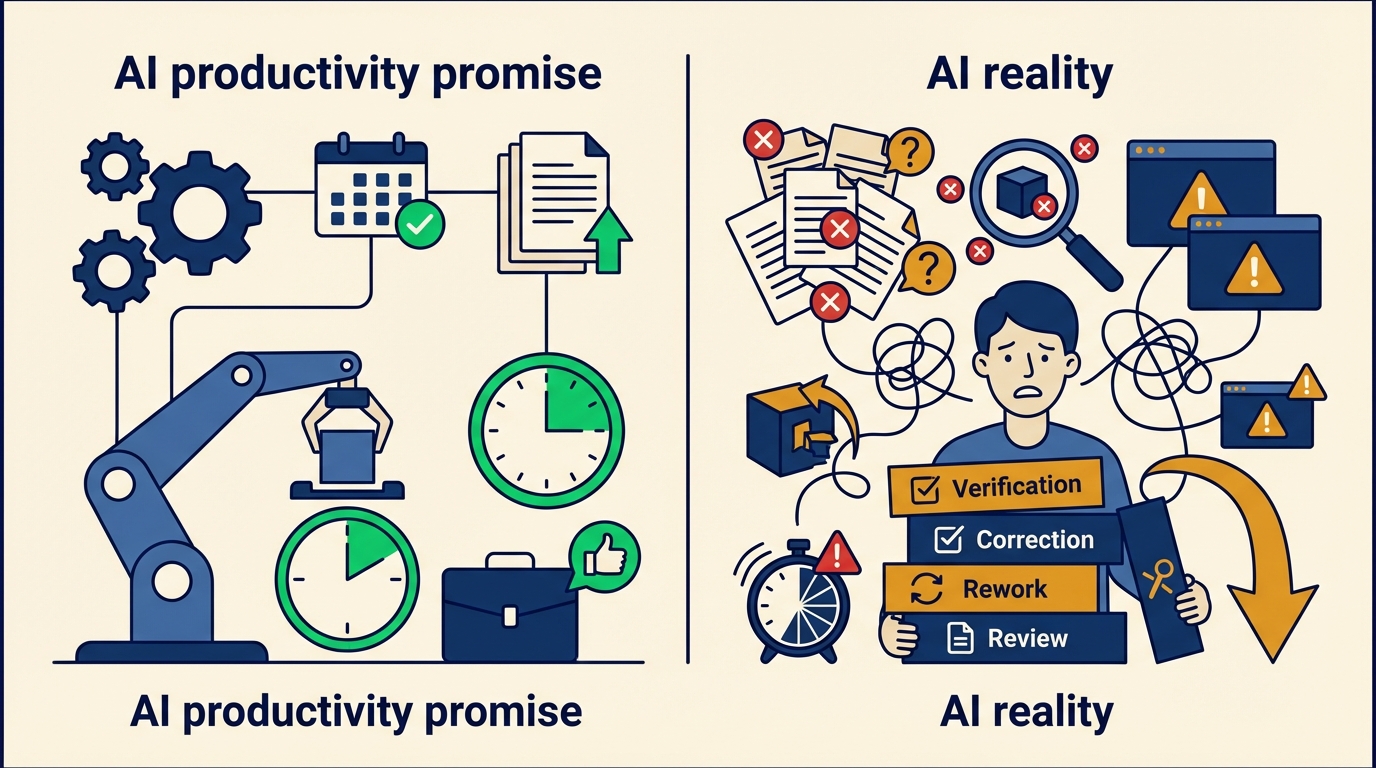
A Zapier survey of 1,100 enterprise AI users put it at 4.5 hours per week spent revising, correcting, and sometimes completely redoing AI-generated output. And here’s the paradox: employees with AI training actually spend more time fixing AI output (five hours a week versus two) because they use it for higher-stakes work where the cleanup matters more.
This hidden cost has a name: the AI verification tax. You save time generating, then spend it verifying. For a small business owner wearing multiple hats, that tax can eat your entire productivity gain.
Why some businesses avoid the trap while others fall in
The difference isn’t which AI tools you use. It’s how you deploy them.
Businesses that fall into the verification tax trap typically:
- Hand AI open-ended tasks with vague instructions, then spend time fixing the output
- Skip the setup work — no templates, no brand guides, no clear parameters for what “good” looks like
- Measure the wrong thing — tracking time saved without accounting for time spent reviewing and correcting
- Let AI creep into everything — using it for tasks where a human would be faster and more accurate
Businesses that avoid it do the opposite. They treat AI as a tool for specific, well-defined jobs — not a general-purpose assistant for everything. They invest upfront in evaluating AI tools to find the right fit, and they design clear handoff points between AI output and human review.
The Workday study found that employees with access to internal documentation, brand guides, templates, and style guides reported a 96% increase in productivity — compared to 77% for those without. Structure is the antidote to the verification tax.
How to deploy AI without adding to your workload
If you’re a small business owner who’s already using AI or thinking about it, here’s how to get the productivity gains without the hidden costs.
1. Start with tasks that have clear right answers
AI works best on structured, repeatable tasks where the output is easy to verify. Appointment scheduling, review responses, intake forms, basic customer inquiries — these have clear success criteria. You know immediately if the answer is right.
Compare that to “write me a marketing email” — which requires judgment, brand voice, context, and multiple rounds of revision. Start with the first category. If you’re not sure where to begin, our guide to getting started with AI walks through the best entry points.
2. Set boundaries on AI scope
The HBR researchers recommended what they call an “AI practice” — intentional norms around how and when AI gets used. For a small business, that means:
- Define which tasks AI handles and which stay human
- Build in structured pauses before acting on AI output for important decisions
- Protect focused work time instead of letting AI-assisted multitasking fill every gap
3. Measure net productivity, not gross
Track both the time AI saves and the time you spend checking, correcting, and redoing its work. If your AI scheduling tool saves you two hours a week but you spend 90 minutes fixing its mistakes, you’re not getting a two-hour gain — you’re getting 30 minutes. That might still be worth it, but know the real number.
4. Use purpose-built AI instead of general tools
General-purpose chatbots require the most verification because they aren’t trained on your specific business context. Purpose-built AI tools — like AI Employees designed for specific roles — reduce the verification tax because they’re already configured for the task. A dispatch AI that knows your service area and scheduling rules produces fewer errors than asking ChatGPT to “help me schedule my appointments.”
5. Invest 30 minutes in setup
The data is clear: giving AI tools proper context dramatically reduces rework. Templates, standard responses, brand guidelines, customer FAQs — the 30 minutes you spend setting these up saves hours of correction later. Our post on AI tools that pay for themselves in 30 days covers how to calculate whether the investment is worth it.
The bottom line
AI isn’t a magic productivity multiplier, and the research proves it. But it’s not useless either. The businesses that benefit most from AI are the ones that deploy it deliberately — with clear boundaries, structured workflows, and honest measurement.
The verification tax is real. But it’s also avoidable. Start with well-defined tasks, invest in setup, and measure what actually matters: net time saved, not gross time generated.
If you’re trying to figure out which AI tools will actually reduce your workload instead of expanding it, get in touch — we help small businesses build AI systems that work without the hidden costs.