
How AI Employees Work: The Technology Behind Virtual Staff
AI employees are not science fiction
Forty percent of enterprise applications will include task-specific AI agents by the end of 2026, up from less than 5% in 2025, according to Gartner. That is not a distant forecast. It is happening now.
But for most small business owners, “AI agent” sounds like a concept from a tech conference keynote — not something that could answer their phones, schedule their crews, or manage their inventory. The reality is simpler than you might think. AI employees are software systems that combine language understanding, business logic, and communication tools to handle real work, autonomously, around the clock.
This post pulls back the curtain on how AI employees actually work. You will learn what powers them, how they learn your business, and where they fit — and do not fit — in your daily operations. Whether you are running an HVAC company, a restaurant, or a vacation rental, the technology is the same. The implementation is what changes.
What is an AI employee?
An AI employee is a specialized software agent designed to perform a specific set of business tasks without constant human supervision. Unlike a generic chatbot that answers preset questions, an AI employee can plan, execute, and adapt.
Here is the difference in practice:
| Capability | Traditional chatbot | AI employee |
|---|---|---|
| Answer FAQs | Yes | Yes |
| Understand context across a conversation | Limited | Yes |
| Take action (book appointments, send invoices) | No | Yes |
| Learn from past interactions | No | Yes |
| Work across multiple channels (text, WhatsApp, email) | Rarely | Yes |
| Handle multi-step workflows | No | Yes |
Think of it this way: a chatbot reads from a script. An AI employee reads the situation. If a customer texts your HVAC company at 11 PM saying their furnace died, a chatbot might reply “Our office hours are 8 AM to 5 PM.” An AI employee recognizes the urgency, checks your on-call technician’s availability, and dispatches a crew — then texts the customer with an ETA.
A McKinsey survey found that 23% of organizations are already scaling AI agents in at least one business function, with another 39% actively experimenting. For small businesses, the adoption curve is even steeper — 58% of small businesses now use generative AI, up from 40% the year before.
The building blocks behind these systems are not as exotic as they sound.
The technology stack: LLMs, APIs, and integrations
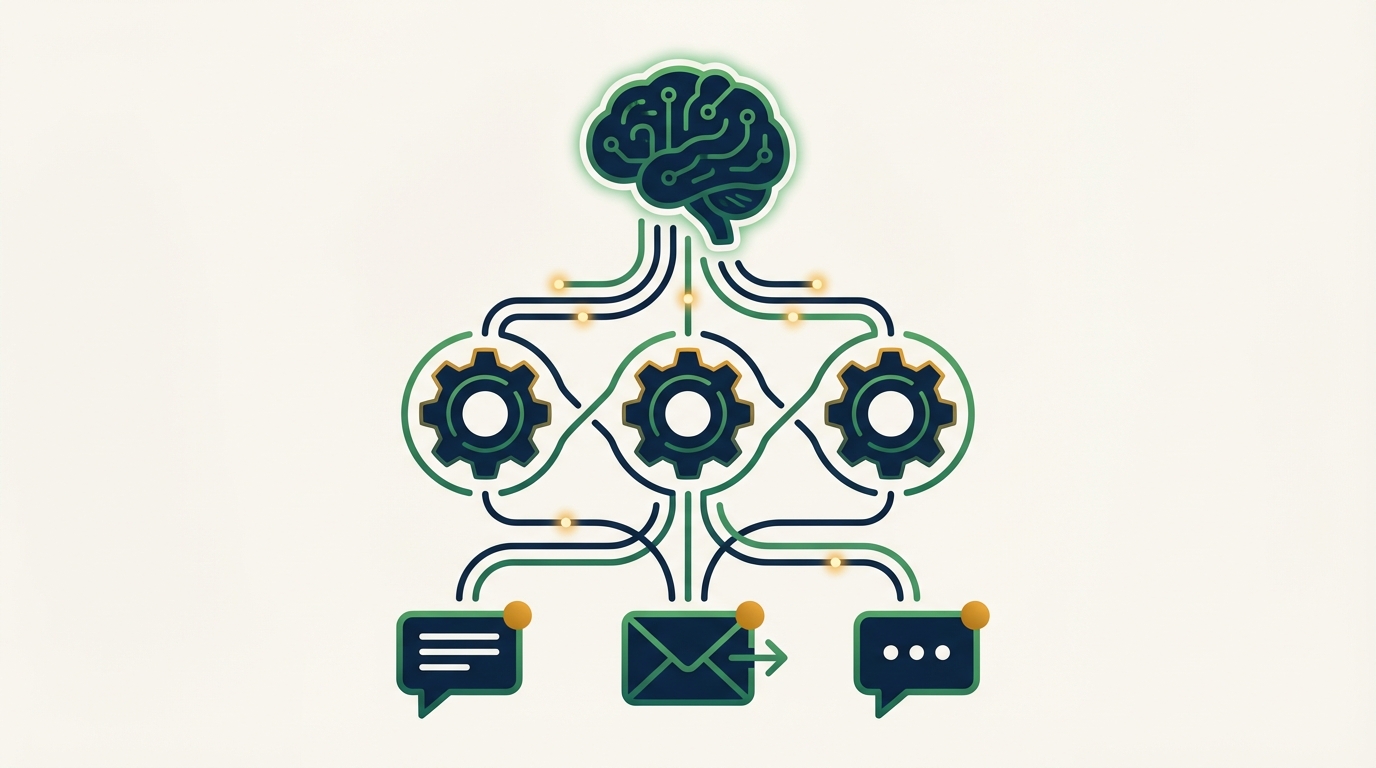
Every AI employee is built from three core layers: a language model that understands and generates text, a logic layer that decides what actions to take, and integrations that connect to the tools your business already uses.
Large language models: the brain
At the center of every AI employee is a large language model (LLM). These are the same type of models behind tools like ChatGPT and Claude — trained on vast amounts of text to understand language, follow instructions, and generate human-sounding responses.
But an AI employee does not just chat. It uses the LLM to:
- Parse incoming messages — understand what a customer is asking, even when they use slang, abbreviations, or incomplete sentences
- Decide what to do next — based on the message content, the time of day, and the customer’s history, determine the right action
- Generate appropriate responses — write replies that match your business’s tone, whether that is formal or friendly
The LLM is the reason an AI employee can handle a message like “hey my AC is making a weird noise can someone come look at it tomorrow afternoon” and turn that into a scheduled service appointment — without needing exact keywords or menu selections.
The logic layer: decision-making
Raw language understanding is not enough. An AI employee needs rules and context to make good decisions. This is where the logic layer comes in.
The logic layer is a set of instructions that governs how the AI employee behaves. It includes:
- Business rules — your operating hours, service areas, pricing tiers, and escalation policies
- Workflow definitions — step-by-step processes for common tasks like booking an appointment, generating an estimate, or handling a complaint
- Priority logic — how to rank urgent requests over routine ones (a burst pipe gets immediate attention; a faucet drip can wait)
- Guardrails — boundaries that prevent the AI from making promises it cannot keep, quoting prices it should not, or accessing data it should not touch
This layer is what separates an AI employee from a general-purpose AI assistant. A general assistant can write you a poem or summarize an article. An AI employee knows that when a customer says “I need a quote,” the next step is to ask for the year, make, and model — because that is how your shop builds estimates.
Integrations: connecting to your world
The final layer connects the AI employee to the communication channels and tools your business relies on. This is where the work actually gets done.
Common integrations include:
- Messaging platforms — SMS, WhatsApp, Telegram, and iMessage. The AI employee meets your customers where they already are, through text messages on their phone.
- Calendars and scheduling — the AI checks your availability, books appointments, and sends reminders without double-booking
- Invoicing and payments — generate quotes, send invoices, and track payment status
- Inventory systems — monitor stock levels, flag reorder points, and track parts usage
- Review platforms — monitor Google, Yelp, and Facebook for new reviews and draft responses
The key design choice behind most AI employees, including ours at Appalach.AI, is that they communicate through messaging — the same tools your customers and crew already use every day. There is no app to download, no dashboard to learn, no login to remember. You text the AI employee like you would text a coworker.
How AI employees learn your business
A new human employee needs weeks to learn your processes, pricing, and customers. An AI employee starts with a foundation of general knowledge and then gets customized to your specific operation.
Initial setup: your business profile
When you first set up an AI employee, you provide it with your business context:
- Your services, pricing, and service areas
- Operating hours and scheduling preferences
- Your team members and their specialties
- Communication style and tone preferences
- Escalation rules — when to handle it autonomously, when to loop in a human
This is not a months-long onboarding process. For most businesses, initial setup takes an afternoon. For businesses that want hands-off setup, professional onboarding services handle the entire configuration.
Continuous learning: getting smarter with every interaction
Here is where AI employees diverge from traditional software. They improve over time.
Every interaction teaches the system something new. After a few weeks of handling service requests for an HVAC company, the AI learns:
- Seasonal patterns — furnace calls spike in October, AC calls in June
- Common repairs — the three most frequent issues and the parts they require
- Customer preferences — which clients prefer morning appointments, which prefer text over phone calls
- Pricing accuracy — how long specific jobs actually take versus initial estimates
This learning is not abstract. It directly improves the AI employee’s performance. Response times get faster because the system anticipates common questions. Estimates get more accurate because the system has seen hundreds of similar jobs. Scheduling gets tighter because the system understands your team’s actual throughput.
Privacy and data control
A fair question: where does all this data go?
Each AI employee runs on a private server instance. Your customer data, conversation history, and business information stays under your control. It is not pooled with other businesses’ data or used to train a general-purpose model. This matters especially for businesses handling sensitive information — medical offices, legal firms, or financial services.
The five AI employees at Appalach.AI
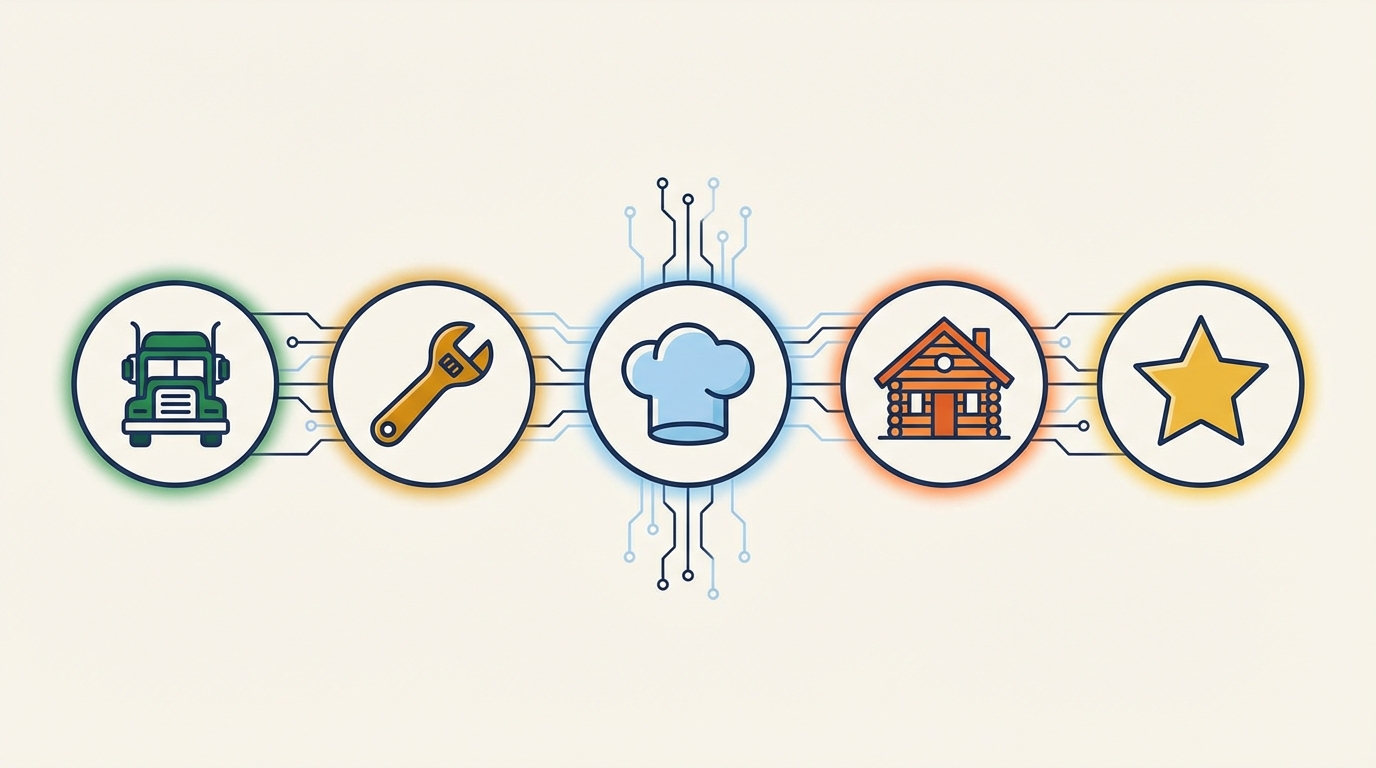
We built five specialized AI employees, each designed for a specific industry’s workflows. Here is what each one handles and who it is for.
Dispatch: field service operations
Dispatch is built for HVAC, plumbing, electrical, and pest control companies. It handles smart crew dispatch based on technician proximity and skills, 24/7 customer communication with ETAs and job status updates, quote generation and invoice creation, parts tracking with reorder alerts, and daily route optimization.
A plumbing company using Dispatch does not need to hire a dispatcher or an after-hours answering service. The AI handles both roles. If you have read our guide on AI scheduling for HVAC, Dispatch is the tool behind that workflow.
Torque: auto repair shops
Torque is designed for independent auto repair shops. It builds estimates by year, make, and model, sends customers status updates as their vehicle moves through the shop, compares parts prices across suppliers, manages bay scheduling, and sends service reminders for oil changes and inspections.
For a one-to-three bay shop, Torque replaces the need for expensive shop management software. We covered how this works in practice in our auto repair AI guide.
86’d: restaurant management
86’d handles the operational side of running an independent restaurant. It generates weekly staff schedules factoring in availability and labor targets, tracks food costs per item and flags margin drift, manages inventory with par levels and vendor ordering, creates dynamic prep lists based on expected covers, and runs daily closeout reports.
Restaurant operators already juggling a dozen systems appreciate that 86’d lives inside WhatsApp or Telegram — the apps they already check fifty times a day. Our restaurant AI automation guide walks through the specific use cases.
Cabin Fever: vacation rentals
Cabin Fever is built for Airbnb and VRBO property owners, especially those managing cabins and rentals across the Appalachian region. It responds to guest inquiries 24/7 with check-in details, Wi-Fi codes, and local recommendations, coordinates cleaning crews between checkouts and check-ins, tracks maintenance issues, sends pre-trip information 48 hours before arrival, and manages reviews.
For a multi-property owner, Cabin Fever eliminates the 5-10 hours per week typically spent on guest communication alone. We explored this in depth in our vacation rental AI management post.
Five Star: reputation management
Five Star works for any business type. It sends review requests via text after a job is complete, monitors Google, Yelp, and Facebook for new reviews, drafts professional responses in your voice, alerts you to negative reviews for priority handling, and generates monthly reputation reports.
At $49 per month, Five Star is the lowest-barrier entry point into AI employees. Our AI review management guide covers why this matters for local businesses.
Limitations and when you still need humans
AI employees are powerful, but they are not a replacement for every human role. Being honest about limitations is important — both for setting expectations and for getting the most value from the technology.
What AI employees cannot do
- Handle novel, high-stakes situations — if a customer has a truly unique problem that falls outside normal patterns, the AI will recognize its limits and escalate to you. A burst pipe at 2 AM? The AI dispatches a crew. A structural issue discovered during a routine repair? The AI flags it for your expert judgment.
- Build personal relationships — AI employees are excellent at consistent, professional communication. But the handshake at a community event, the conversation at the parts counter, the trust built over years of face-to-face interaction — that remains uniquely human.
- Make judgment calls with incomplete information — when the data is ambiguous, AI employees defer to humans. This is by design. A good AI employee knows what it does not know.
- Replace specialized expertise — an AI employee can schedule an HVAC appointment, but it cannot diagnose a compressor failure from a sound description alone. The technician’s expertise remains irreplaceable.
The augmentation model
The MIT Technology Review reports that more than 60% of occupations will benefit from AI as an augmentation tool — not a replacement. The pattern for small businesses is clear: AI employees handle the repetitive, time-consuming tasks so your human team can focus on the work that requires expertise, creativity, and personal connection.
A restaurant owner using 86’d still designs the menu, develops recipes, and builds customer relationships. But they no longer spend four hours on a weekly schedule or manually track food costs in a spreadsheet.
This is the model that works: humans for judgment and relationships, AI for consistency and scale.
The future of AI employees
The technology behind AI employees is advancing fast. Here is what to expect over the next 12-18 months.
Multi-agent collaboration. Today’s AI employees each handle their own domain. Soon, they will coordinate with each other. Your Dispatch AI could automatically trigger Five Star to send a review request after a job closes — no human in the loop.
Voice capability. Text-based communication is the foundation, but voice AI is maturing quickly. Expect AI employees that can answer phone calls, understand spoken requests, and respond naturally. For businesses where customers still prefer calling, this is a significant development.
Deeper integrations. As Anthropic’s Model Context Protocol and similar standards mature, AI employees will connect to an even wider range of business tools — accounting software, CRM systems, marketing platforms — with less custom configuration.
Industry-specific expansion. We already have four new AI employees in development: Ridgeline for contractors and remodelers, Headlamp for outfitters and guides, Amen for churches and ministries, and Sawmill for logging and timber operations. Each one is built around the specific workflows of its industry.
Gartner projects the agentic AI market will grow from $7.8 billion to over $52 billion by 2030. That growth means more competition, better tools, and lower prices for small businesses. The infrastructure investments from companies like Google, Meta, and NVIDIA are driving down the cost of AI compute — and those savings flow downstream to the tools your business uses.
Getting started
You do not need a technology background to use an AI employee. The barrier to entry is closer to signing up for a new phone plan than to hiring a developer.
If you are curious about how AI employees could fit into your operation, start with the one closest to your biggest time sink. Spending hours on scheduling? Look at Dispatch. Drowning in guest messages? Try Cabin Fever. Want more reviews without the hassle? Five Star takes five minutes to set up.
The technology is ready. The question is not whether AI employees work — it is which one works for you. Explore the full lineup and try a live demo with no signup required.